

Konfigurasi router dhcp
Langkah Kerja
-
Install atau buka software Cisco packet treacer
Pastikan software ini sudah terinstal di komputer
-
Bantuk topologi seperti gambar dibawah ini
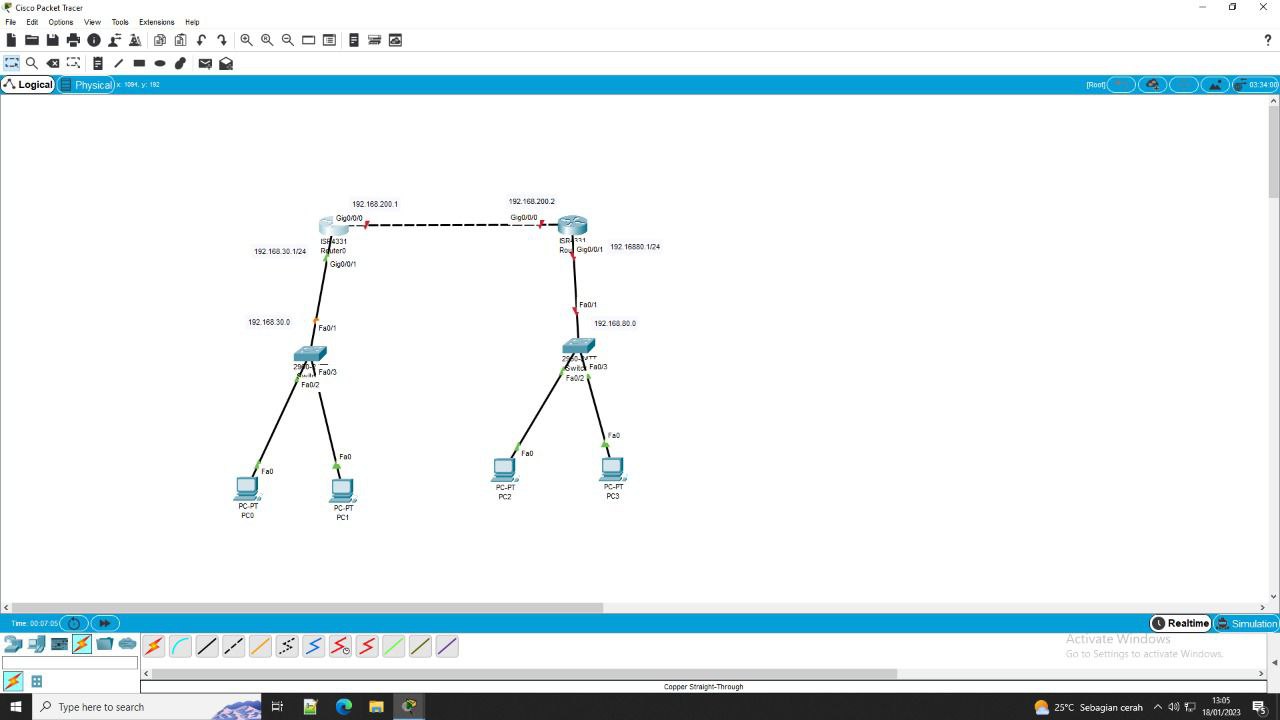
-
Lakukan konfigurasi pada router 0
Klik router 0 dan router 1, pilih opsi CLI
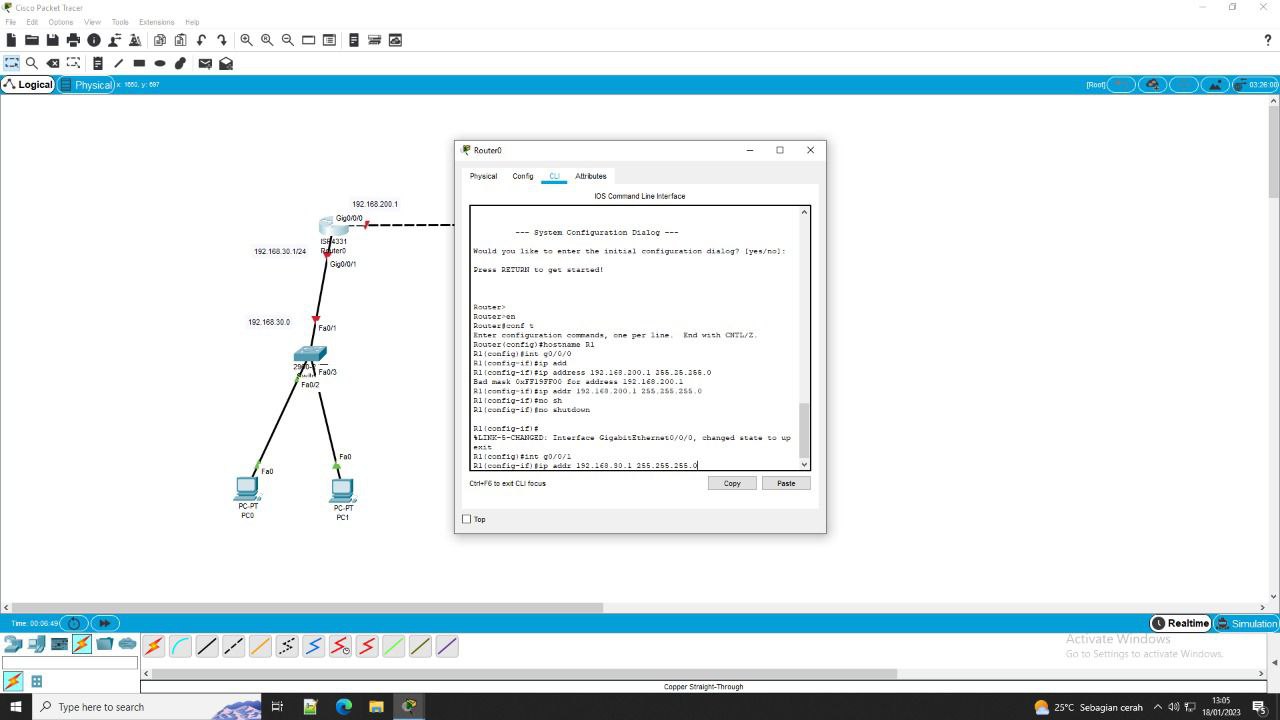
Perintah di CLI
en
conf t
hostname R1
int g0/0/0
ip address 192.168.200.1 255.255.255.0
no sh
exit
int g0/0/1
ip address 192.168.40.1 255.255.255.0
no sh
ex
ip dhcp pool R1
network 192.168.40.1 255.255.255.0
default-router 192.168.40.1
dns-server 192.168.40.1
exit
ip excluded-address 192.168.40.1 192.168.40.10